PROMPT → HTML → YOUR PHONE
Turn AI-generated HTML into a tool you can use on your phone
Kapsula 0.4.0: HTML still works. You can also import standalone .js scripts, edit saved source and copy code errors for your AI. JavaScript guide and examples →
Build a focus timer with ChatGPT, Claude or another coding assistant, then run the HTML inside Kapsula on Android or iPhone. No app build or store submission is needed for your personal project.
This walkthrough includes a ready-made reference file, so you can try the import before asking an AI for your own version. AI output can vary; the reference file is the implementation used for this guide.
Already have an HTML file from your AI chat?
You can import it directly; you do not need to rebuild it as an APK, use Xcode, or host it on a website. Kapsula runs your project inside its Android or iOS app. It does not create a separate app or a Home Screen icon for each project.
- Ask your assistant for one complete
.htmlfile with CSS and JavaScript included. A React source folder or a page that depends on a server needs adaptation first. - Install Kapsula from Google Play or the App Store. No Kapsula account is required. The demo is free; importing and running your own tools requires Pro, with a 7-day trial and monthly or lifetime options.
- Tap Add project, pick the file or paste the complete HTML, then tap Run. On Android, choose the file from Downloads. On iPhone, save it in Files and select it from Kapsula; see the iPhone import guide.
- Check the tool's buttons, calculations and saved state. For persistent data or notifications while the phone is locked, ask the assistant to adapt the code using the Kapsula prompt. Importing a file does not automatically convert browser APIs into native features.
Self-contained file and pasted-code projects can run offline. External API calls are blocked in the sandbox, and browser storage must be replaced with kapsula.storage to keep data. Keep a copy of your original HTML before adapting it. The timer below is a worked example you can compare against your own file.
Download timer HTMLGet the prompt
You will need Kapsula, one available project slot and notification permission for the phone test. Your own projects are part of Kapsula Pro, which starts with a 7-day free trial; the built-in demo is free. This example contains no external dependencies or network requests. The timer switches to Russian automatically when the Kapsula interface is Russian.
1. Try the timer
Choose 25 minutes of focus, a 5-minute break, or a 30-second test. Each interval starts when you tap a button. The next interval never starts automatically.
Open the interactive browser preview
A browser preview shows the interface and countdown. It does not test the phone notification. Its saved state is separate from a Kapsula project.
2. Ask your assistant for one HTML file
Copy this self-contained prompt into your coding assistant. Save the complete answer as focus-timer.html, without Markdown fences. If the result does not work, start with the downloadable reference above.
Download prompt as text · General Kapsula prompt · Bridge API reference
3. Import it into Kapsula
- Install Kapsula from Google Play or the App Store.
- Open Kapsula and tap “Add project”. Select the HTML file you saved (Android: from Downloads; iPhone: from the Files app), or paste the whole HTML document into the “Paste code from your AI chat” field.
- Tap “Run”. The project is named “Focus & break” from the
<title>tag and the example should now say Running in Kapsula. - Without Pro, Kapsula shows the Pro screen after you tap Run: start the 7-day free trial and the project opens right away. To replace the code of an existing project later, use Update code in its settings and keep a copy of the old code first.
4. Check a real notification before a long session
- Tap Test · 30 sec and allow notifications if asked. Use Kapsula 0.2.2 or later. If the 30-second deadline passes while you answer the system prompt, start the test again.
- After the countdown starts and the page reports “Notification scheduled”, lock the phone. Do not force-stop Kapsula in Android settings.
- Check whether the notification appears on the lock screen. Sound depends on notification permissions, channel settings, Focus / Do Not Disturb and device settings.
- Open the project again. It should show that the interval ended, without starting a break automatically.
- Start a second test, tap Stop / clear, and check that no notification arrives.
Updated 17 September 2026. Released version 0.2.2 fixes long permission waits, denial and cancellation. If the deadline passes during the system prompt, start a new interval. The table and frames below document the 0.2.1 checks from 13 September. The fix was separately checked on Android Emulator and iOS Simulator on 13–14 September.
What was verified
The reference file went through the cycle below on 13 September 2026. Real phones use the same Android and iOS bridge as the emulator and simulator, but sound, Do Not Disturb and battery settings differ per device, which is exactly what the 30-second test is for.
| Check | Android · Pixel 7 emulator, Android 15, Kapsula 0.2.1 | iOS · iPhone 17 Pro simulator, iOS 26.4, Kapsula 0.2.1 |
|---|---|---|
| Import HTML, “Running in Kapsula” | ✓ file picked from Downloads | ✓ file picked from Files (On My iPhone) |
| 30-second test with the screen locked | ✓ lock-screen notification, exact alarm (RTC_WAKEUP) | ✓ lock-screen notification |
| Reopen before the deadline: deadline kept | ✓ 00:29 → leave → 00:21, no restart | ✓ 25-min focus → leave → reopen at 23:50, no restart |
| Reopen after the deadline: no auto-start | ✓ “Interval ended” | ✓ “Interval ended” |
| Stop cancels the pending notification | ✓ 0 alarms left, nothing delivered in 32 s | ✓ back to 25:00, alarm badge 0 |
| Permission denied: visible error | ✓ error shown, timer does not start (in 0.2.1 the message could report a timeout) | ✓ same |
Android frames:
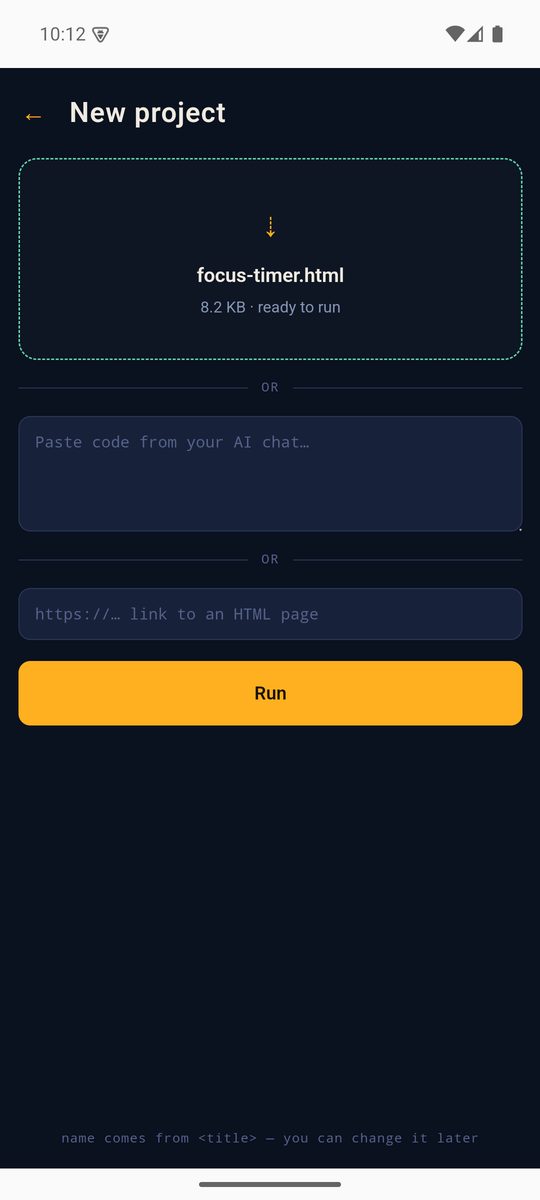
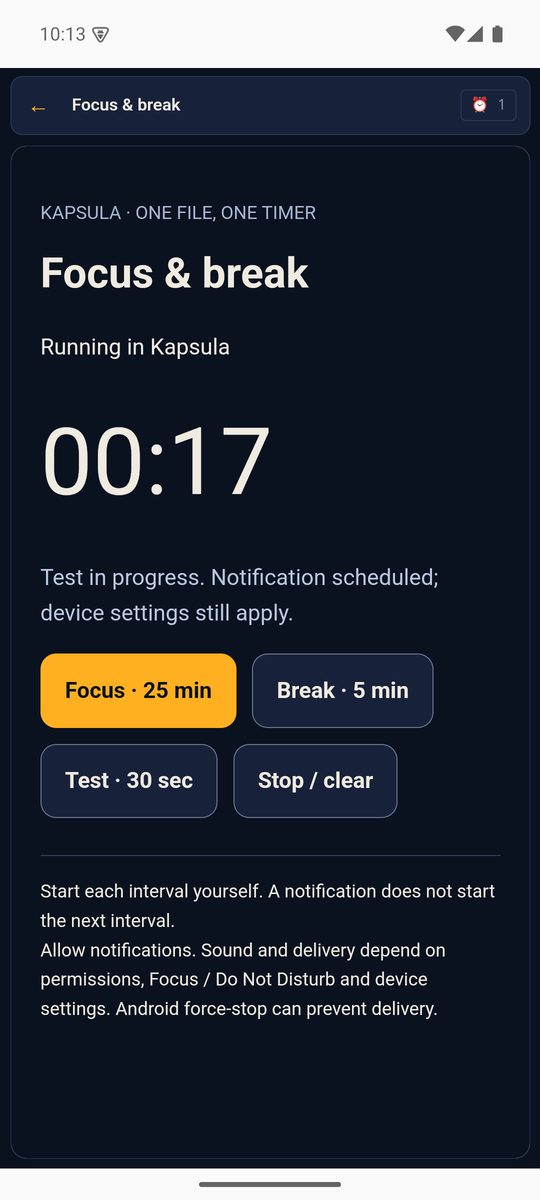
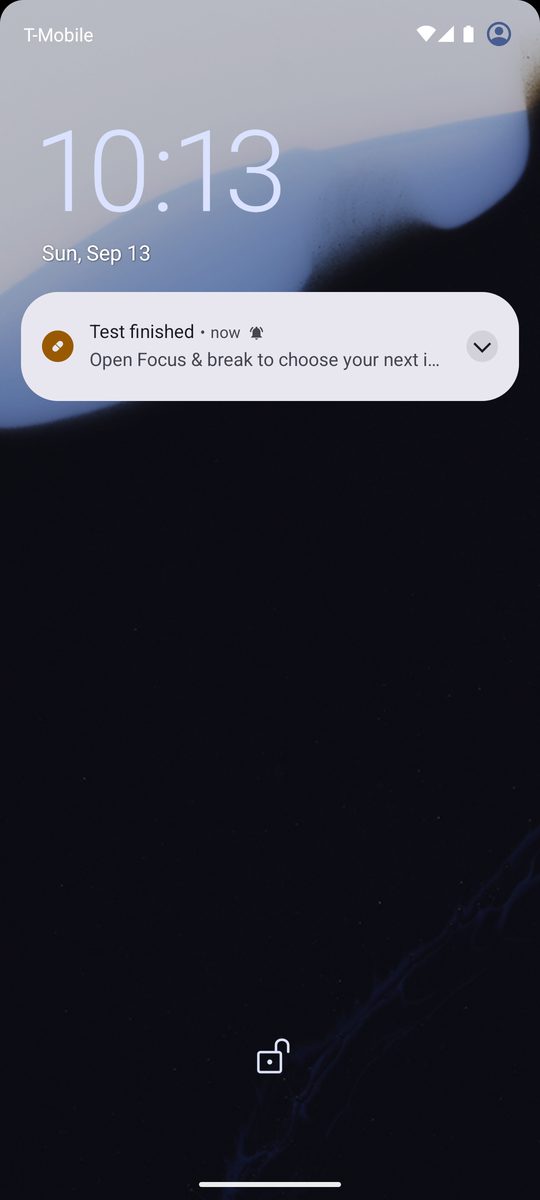
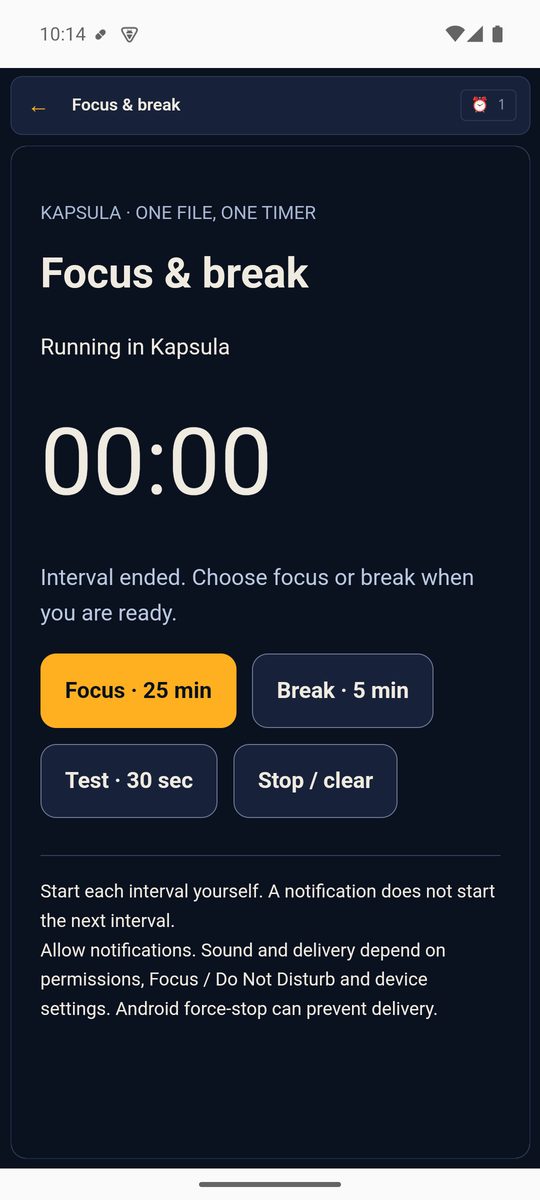
iPhone frames:
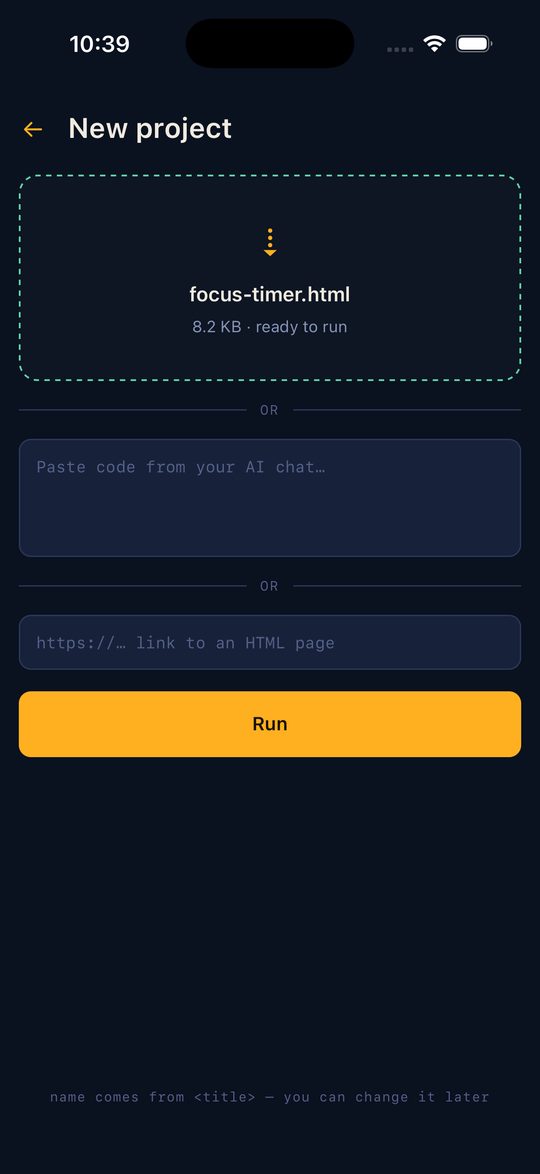
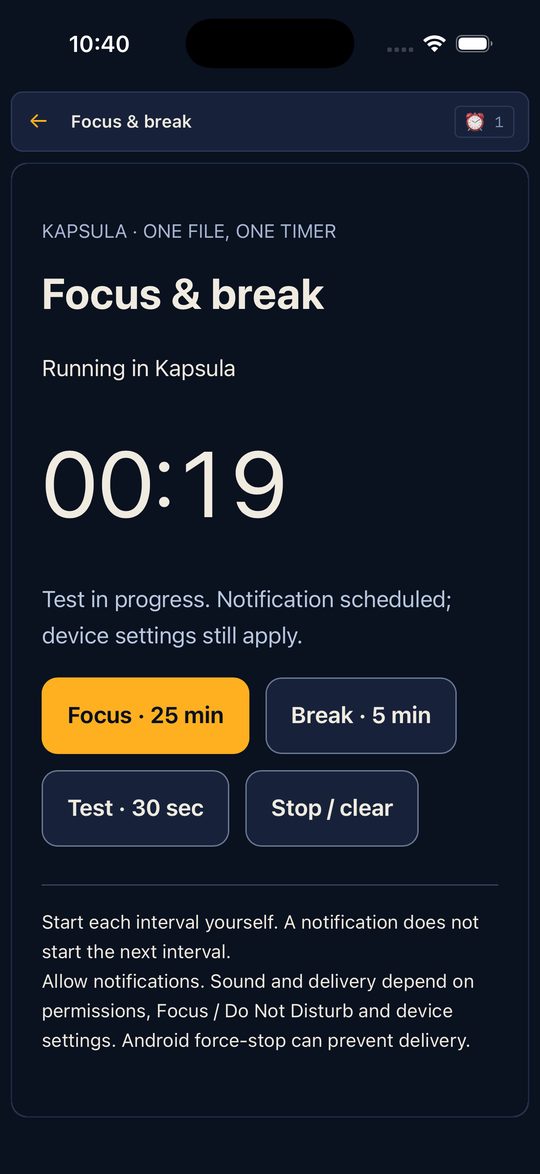
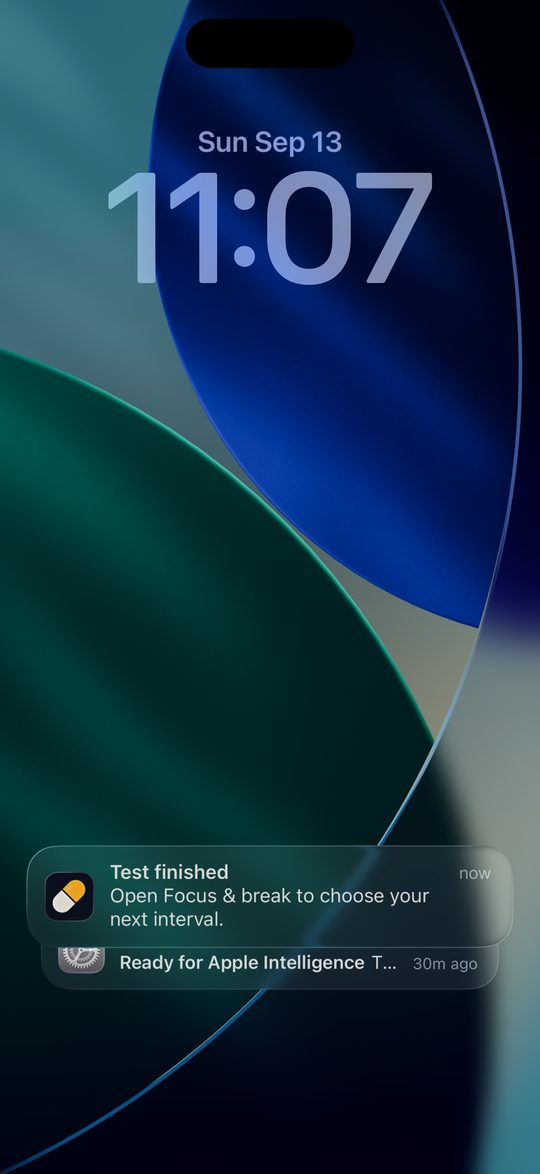
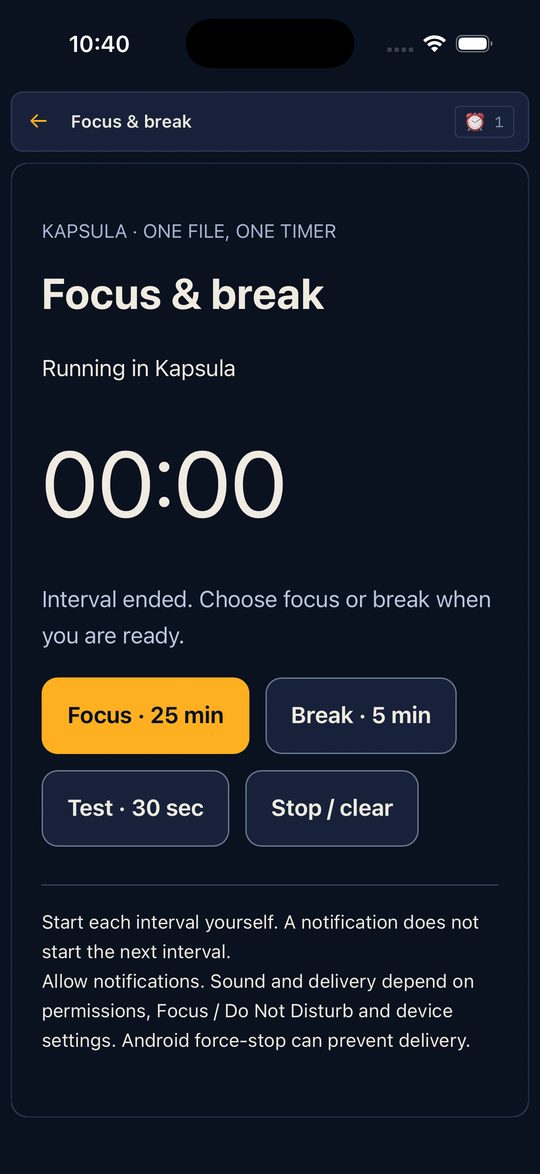
The same steps in Russian, with Russian frames, are on the Russian page. This is a check of the reference file, not a guarantee for every device: repeat step 4 on your own phone.
5. Make it yours
Ask the assistant: “Change focus to 15 minutes and break to 3 minutes. Keep the storage key, absolute end time, cancellation and error handling unchanged.” Stop an active timer, then use the project’s code-update option. A code update keeps project storage; deleting the project does not.
Why the timer uses the Kapsula bridge
The page uses kapsula.notify.schedule({at, title, body}) to request an OS notification at the right moment and saves the end time with kapsula.storage.set(). When reopened, it computes the countdown from that time. JavaScript refreshes the visible digits; it is not expected to keep running while the app is closed.
When something does not work
| Symptom | What to check |
|---|---|
| “Browser preview” | The file is open in a browser. Import it as a Kapsula project to test native notifications. |
| “kapsula: таймаут notify.schedule” error | Update to Kapsula 0.2.2 or later: the timeout while waiting for system permission has been fixed. If permission was denied, allow notifications in system settings. If the error persists, report your app version and the step that failed. |
| Notification appears silently | Check sound, Focus / Do Not Disturb and, on Android, the notification channel settings. |
| Generated file fails | Try the reference file, then give the assistant the visible error and the API reference. |
| Existing timer appears after reload | This is expected: the stored deadline is restored. Use Stop / clear to reset it. |
What this example does not do
It does not run a server, bundle an arbitrary React project, automatically cycle sessions in the background, or guarantee delivery after a force-stop. It runs one self-contained HTML tool inside Kapsula. A project that requires external APIs needs a separate compatibility check.
Download the reference HTML, import it, and complete the 30-second test.
Tell us where you got stuck · Privacy