LOCAL HTML · IPHONE
Run an HTML tool on your iPhone without Xcode or hosting
Kapsula 0.4.0: HTML still works. You can also import standalone .js scripts, edit saved source and copy code errors for your AI. JavaScript guide and examples →
If ChatGPT or another assistant gave you one HTML file, you can import it into Kapsula and run it as a personal project. You install Kapsula from the App Store, then select the file from Files or paste its code. No developer account, app build or website hosting is needed.
Kapsula is an HTML tool runner for Android and iOS by Vladimir Fedorov. Your tool opens inside Kapsula; it is not exported as a separate iPhone app and does not get its own Home Screen icon.
Get Kapsula on the App StoreTry the example HTML
The built-in demo is free. Running your own HTML projects requires Kapsula Pro: a 7-day trial, then a monthly subscription or a lifetime purchase. Prices are shown in the app. No Kapsula account is required.
1. Prepare one self-contained file
Save the assistant's complete HTML as my-tool.html. Include its CSS and JavaScript in the same file, without Markdown code fences. A source folder from React or a tool that needs an external server is not a self-contained HTML file.
Save the file in the iPhone Files app, for example in Downloads or On My iPhone. If it is stored in iCloud Drive, download it to the phone before trying to use it offline. If you only have the code in a chat, you can copy the complete document instead.
2. Import from inside Kapsula
- Open Kapsula and tap Add project.
- Choose the HTML file using the file picker. Alternatively, paste the complete document into Paste code from your AI chat.
- Tap Run. If needed, choose Pro or start the trial to open your personal project.
- Try the buttons and calculations. Return to the project list and reopen the tool to check its saved state.
Opening the file in a preview is different from importing it into Kapsula. If you only see a preview in Files, return to Kapsula and pick the file from Add project.
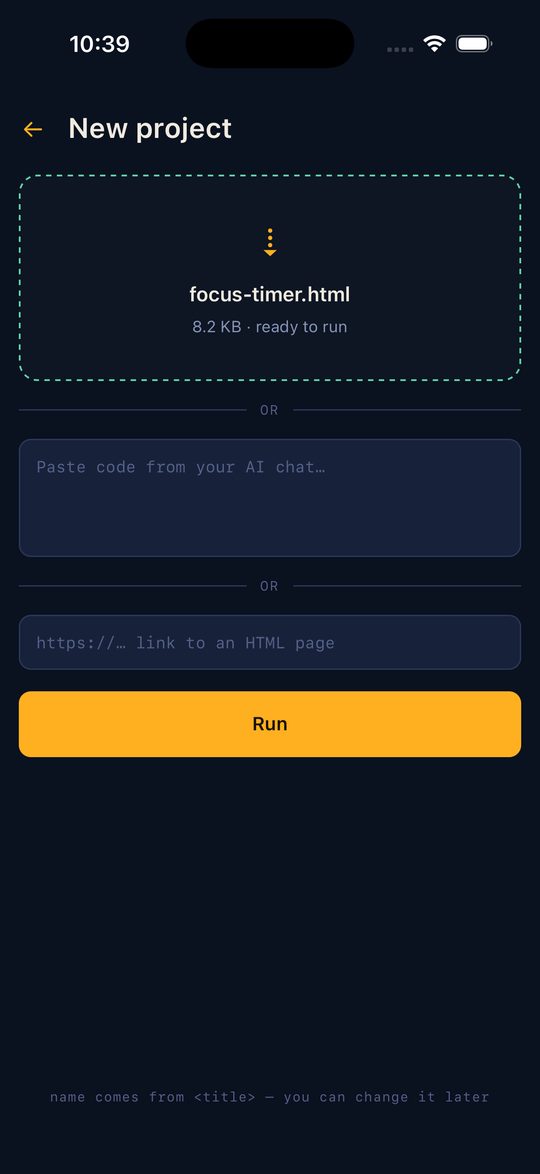
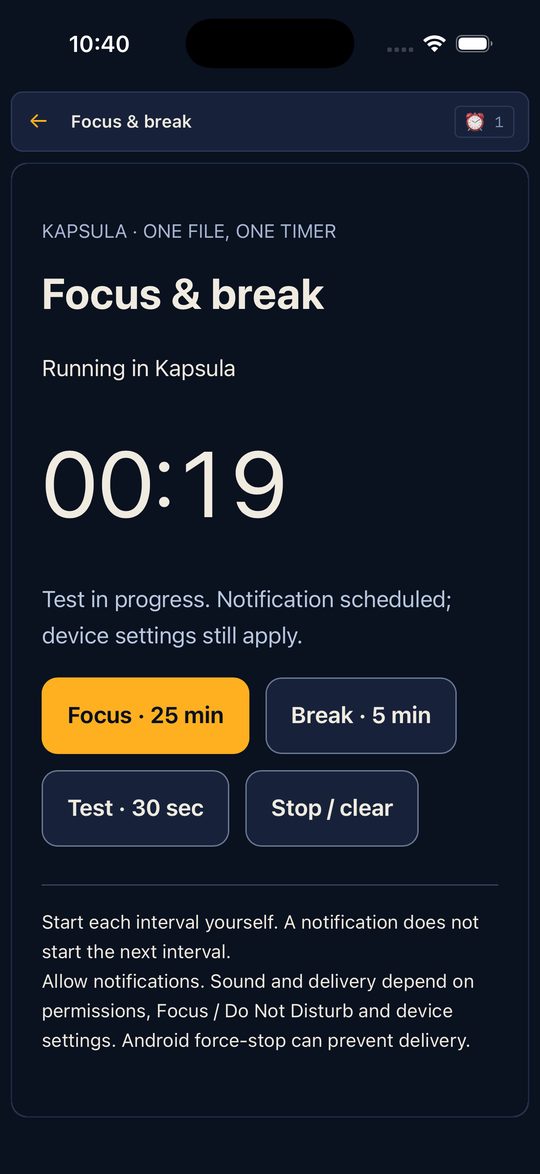
These frames are from the documented focus-timer test on iOS Simulator, 13 September 2026. They illustrate import and execution; they are not a new test of your own file or a guarantee for every phone.
3. Adapt storage and notifications when needed
Importing HTML does not automatically give existing browser code native features. Kapsula provides a JavaScript bridge, window.kapsula. Ask your assistant to use the Kapsula adaptation prompt and keep a copy of your original file.
| Your tool needs | What to use |
|---|---|
| Data after reopening | kapsula.storage. Browser localStorage, IndexedDB and cookies do not persist in the sandbox. |
| A notification while the screen is locked | kapsula.notify.schedule(). Allow notifications and run a short test. JavaScript timers do not continue running as a background service. |
| Offline calculations or a checklist | Keep code and required data in the file. External API calls are blocked; remote dependencies need adaptation. |
Notification delivery and sound depend on permissions, Focus / Do Not Disturb and device settings. Use the timer walkthrough for a 30-second lock-screen test and cancellation check. See the API reference for method signatures and limits.
When this approach fits
Use it for a self-contained personal calculator, checklist, tracker or timer. A hosted service, a tool that calls an external API, or a separately distributable App Store app needs a different workflow. Kapsula runs the file you provide; it does not generate or host it.
Import the reference timer, then follow the complete Android and iPhone walkthrough. For another file, give your assistant the visible error and the Kapsula prompt.